It is not uncommon to see messy R code which is almost not human-readable like this:
 # rotation of the word "Animation"
# in a loop; change the angle and color
# step by step
for (i in 1:360) {
 # redraw the plot again and again
plot(1,ann=FALSE,type="n",axes=FALSE)
# rotate; use rainbow() colors
text(1,1,"Animation",srt=i,col=rainbow(360)[i],cex=7*i/360)
# pause for a while
Sys.sleep(0.01)}
Apparently it is pain reading unformatted R code, but on the other hand, it is natural for us to be lazy. I don’t care about adding spaces or indent to my raw R code – I’ll concentrate on programming first and format my code later. The R package formatR is intended to help us format our messy R code.
# formatR optionally depends on gWidgetsRGtk2
# please use the latest version of R (>=2.12.0)
install.packages('formatR')
library(formatR)
tidy_gui()

## you will get an error if the package gWidgetsRGtk2 is not installed;
## then you need to install it
install.packages('gWidgetsRGtk2')
tidy_gui('RGtk2')
Then you can either paste your code into the text box or click the “Open” button to open an existing R code file. Click the “Convert” button and you are done!
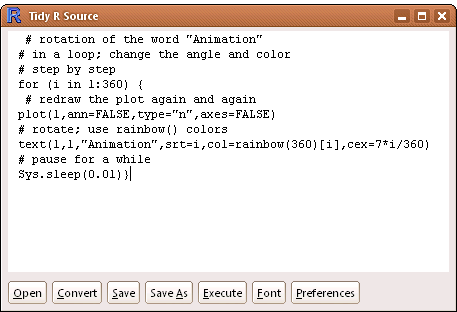
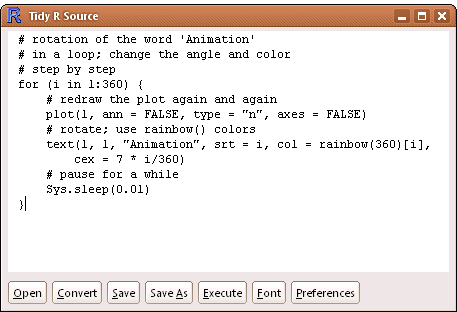
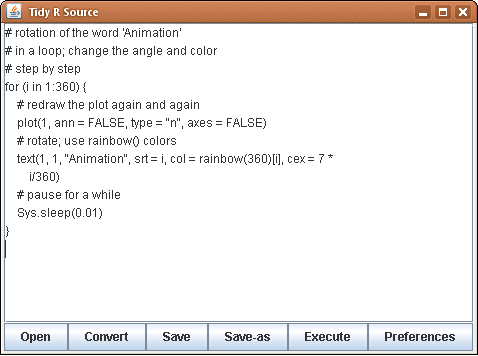
There are several options in the “Preferences” panel, e.g. you can specify whether to keep comments or blank lines, or specify the width of the formatted R code.
No matter how messy your code looks like, formatR can make it tidy and
structured as long as there are no syntax errors in your R code. If you
prefer the command line interface, you may want to take a look at the
function tidy_source() in this package.
Note that multi-byte characters (say, Chinese) are also supported in the GUI.